





Ergonomics Regulations in South Africa: What Employers Actually Have to Do at the Desk
The Ergonomics Regulations in South Africa (published in 2019 under the Occupational Health and Safety Act) require employers to have a competent person assess ergonomic risk before work starts, control the risks they find, train staff, and repeat the assessment at least every two years.1
They do not require you to buy ergonomic chairs or standing desks. Furniture is one possible control that may come out of a proper assessment. It is not the assessment, and it is not compliance on its own.
This guide is for office managers, HR and business owners. It explains the duty in plain English, shows how an office risk assessment works, and then does the part the legal guides skip: how to turn the findings into a sensible workstation spec without overspending.

What do the Ergonomics Regulations 2019 require from South African employers?
The Ergonomics Regulations were published on 6 December 2019 as Government Notice R1589 in Government Gazette 42894, under the Occupational Health and Safety Act 85 of 1993. They came into operation on the date of publication.1 One quirk worth knowing: the gazetted text names them the "Ergonomics Regulations, 2018", which is why you will see both years used.
For an office, the core duties look like this:
| Duty | What it means in an office |
|---|---|
| Risk assessment | Before work that may expose staff to ergonomic risk begins, a competent person must assess it. Repeat at intervals not exceeding two years. |
| Who assesses | A "competent person": someone with the knowledge, training and experience in ergonomics for that work, and familiar with the Act. |
| Risk control | Prevent exposure, or where that is not reasonably practicable, control it. Follow the hierarchy: eliminate, substitute, engineering controls, administrative controls, then personal protective equipment as a last resort. |
| Information and training | After consulting the health and safety committee or representatives, set up a training programme covering the risks, the controls in place, and how staff can protect themselves and report problems. |
| Medical surveillance | Required where the risk assessment indicates the need, overseen by an occupational medicine practitioner. |
| Records | Risk assessment and medical surveillance records must be kept for at least 40 years; some other records, such as those on risk controls, for at least three years. |
Failing to comply with the main regulations is an offence, with a fine or imprisonment of up to 12 months on conviction.1 That is the stick. The more useful point for most offices is the carrot: a good assessment tells you exactly where to spend, and where not to.
Do the ergonomics regulations in South Africa require ergonomic chairs?
No. Read the regulations end to end and you will not find the words chair, desk or display screen.1 The duty is to assess and control risk, and the regulations leave the choice of control to the employer, guided by the assessment.
No supplier can sell you compliance. If anyone tells you their chair "makes you compliant with the Ergonomics Regulations", ask them to show you the clause. The legal duty is the assessment, the controls that follow from it, and the training. Furniture is often a sensible control. It is never the whole answer.
That said, the Department of Employment and Labour's own guidance points clearly at the desk. Its Ergonomics Programme Approach document includes a scenario for computer-based work and lists risks such as static poor posture, eye strain, contact stresses and high workload. Among the suggested controls are "Provide a sit-stand workstation" and regular breaks with training on the importance of changing positions.2 That is guidance, not a legal order, but it shows what the regulator has in mind for desk work.
Why office ergonomics deserves attention in South African workplaces
Desk work looks harmless, which is exactly why it gets skipped. The research says otherwise.
A 2025 systematic review and meta-analysis pooled 19 studies and 5,812 computer-using office workers across sub-Saharan Africa. It found a pooled prevalence of work-related musculoskeletal disorders of 73.13%. The lower back (46.48%) and neck (43.43%) were the most affected areas.3
The same review linked these problems to factors an office can influence: awkward posture, working without breaks and prolonged computer use were all associated with higher odds of symptoms.3 Those are exactly the things an ergonomic risk assessment is designed to find.

How an ergonomic risk assessment works in an office
An ergonomic risk assessment for a typical office is not a mystery, and it does not have to be a once-off event. The regulations require five elements: hazard identification, who may be affected, how they may be affected, analysis and evaluation of the risk, and prioritisation.1 In practice, a workstation assessment usually runs like this:
- Appoint a competent person. This can be an external ergonomist or an internal person with the right training and experience. If you are unsure whether someone qualifies, use a specialist for the first round.
- Map the work, not just the furniture. Hours at a screen, task types, shift patterns, hot desks versus fixed desks, and who works partly from home.
- Look at each workstation and each person. Chair fit, desk height, screen height and distance, keyboard and mouse reach, lighting and glare. A 1.55 m and a 1.90 m employee need different settings at the same desk.
- Ask staff. A short discomfort survey is quick to run and very revealing. Pain in the neck, shoulders, wrists or lower back points straight at specific workstation problems.
- Prioritise. Rank risks by severity and how many people they affect. Fix the worst first.
- Record and review. Keep the report, the actions and the dates. Reassess within two years, or sooner if you move offices or change how people work.
For the physical setup itself, our ergonomic workstation setup guide gives the measurements an assessor will be checking, such as monitor height and elbow angle. It is written for home offices, but the numbers are the same in a corporate building.
Fitting out or upgrading an office? Get a workstation spec built around your team, not a catalogue.
Request an office quoteTurning ergonomic risk assessment findings into a workstation spec
This is where most legal guides stop and where most money gets wasted. The assessment gives you findings. The hierarchy of controls tells you which kind of fix to reach for first. Here is how common office findings usually translate.
| Typical finding | Control type | What usually fixes it |
|---|---|---|
| Chair cannot fit the person (seat too deep, no lumbar adjustment, fixed arms) | Engineering | A chair with seat depth, lumbar and armrest adjustment |
| Chair is adjustable but set up wrong | Administrative | Training and a 10-minute setup per person. No purchase needed. |
| Screen too low, neck flexed forward | Engineering | A monitor arm or stand; a separate keyboard for laptop users |
| Long static sitting, no breaks | Engineering plus administrative | Sit-stand desks where the work allows, plus break routines |
| Shared or hot desks used by people of very different heights | Engineering | Height-adjustable desks and chairs that are quick to reset |
| Glare, poor lighting, eye strain | Engineering | Reposition screens relative to windows, task lighting |
Two things stand out. First, some findings cost nothing to fix. Second, when you do buy, buy for adjustability. The Canadian Centre for Occupational Health and Safety recommends a backrest adjustable both up and down and forwards and backwards, and armrests adjustable for height and width, so one chair can fit a range of bodies.7 That matters most in an office where staff move between desks.

Office ergonomics without a full refit
You rarely need to replace everything at once. If the assessment says the chairs are sound but screens are too low, monitor arms on the existing desks may solve the biggest neck complaints for a fraction of a refit. If it says the chairs are the problem, start with the people who sit longest. Our comparison of ergonomic and regular chairs explains which features earn their cost and which do not.
Ergonomic furniture for employees only works with training
This is the finding every business buyer should know before signing a purchase order.
In a well-known field study, office workers were split into three groups: a highly adjustable chair plus ergonomics training, training only, and a control group. Over 12 months, the chair-plus-training group had significantly reduced growth in symptoms through the workday. Training on its own did not.4 A companion economic analysis found the chair-with-training group also improved productivity, while training alone had no significant effect on health or productivity. That research was funded by Steelcase, a chair manufacturer, which is worth weighing when you read it.5
The flip side is just as important. A 2019 study in Applied Ergonomics looked at 51 office workers whose chairs had, on average, 5.39 adjustable functions. They knew only 2.51 of them and used 1.86. Ten percent had never used any adjustment at all.6 It was a small study, but the lesson is clear: an adjustable chair nobody adjusts is just an expensive chair.
When new chairs or desks arrive, book a short setup session for every person, keep a one-page setup card at each workstation, and include it in induction for new staff. This also covers the regulations' information and training duty.1 It costs the least of anything in the project and it is the part that makes the rest pay off.
Matching workstations to how long people actually sit
Not every seat in an office needs the same chair. A sensible office ergonomics plan matches the spec to hours of use, which keeps the cost per seat honest. Here is how Workspace Dreams, a South African ergonomic furniture dealer, typically suggests splitting it for business clients. Prices are current on our site at the time of writing.
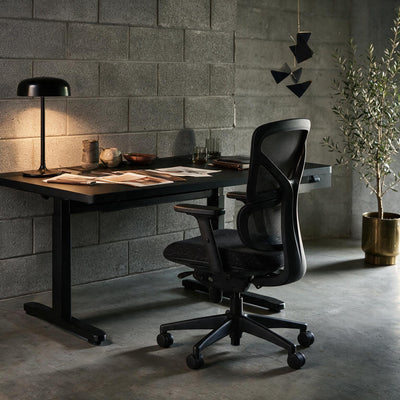
Full-day desk staff: the Pro Flow Ergonomic Chair
For people at a screen most of the day. Adjustable lumbar, 4D armrests, synchro recline and a seat slider cover the adjustments an assessor will look for. Priced from R6,899 to R8,099 depending on options.
Training rooms, hot desks and shorter days: the Lite Chair
Built for two to four hours of sitting a day. Height adjustment, a recline with a single-position lock, height-adjustable armrests and a moulded foam seat. Priced from R3,599 to R4,499. Be honest with yourself: it is not the right chair for an eight-hour desk role.
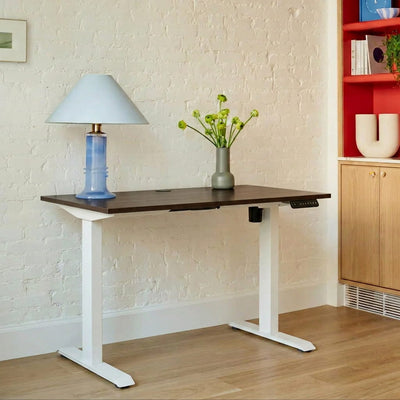
Where the assessment flags static sitting: the Sit-Stand Desk Lite
A single-motor desk that moves from 720 mm seated to 1,200 mm standing, with three memory presets so each person can save their heights. Rated to 100 kg, with a locally made 22 mm top, a 5-year warranty and free nationwide delivery in 10 to 15 working days. For two people sharing one frame with independent surfaces, look at the Dual Sit Stand Desk Pro.
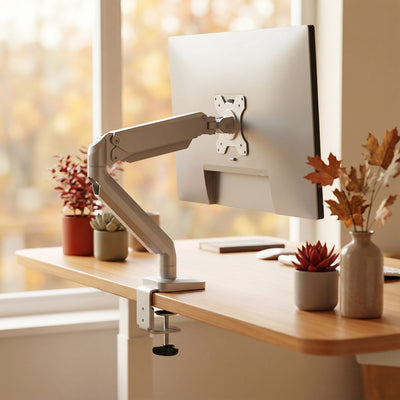
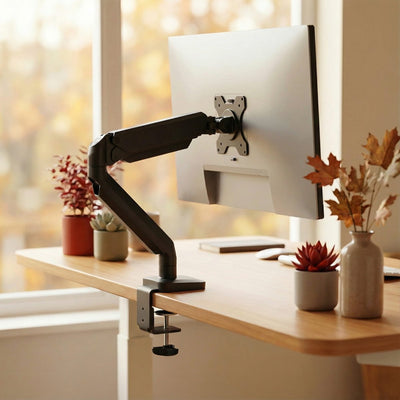
For neck complaints and laptop users: the Platinum Series Single Monitor Arm
Raises, lowers, tilts and swivels the screen to eye level and clears desk space. Often the single best-value fix when the assessment finds screens set too low.
You can browse the full ranges of ergonomic office chairs, height-adjustable sit-stand desks and monitor and laptop stands. For larger orders, request a sample chair first so a few staff of different heights can try it. If the alternating sit-stand pattern is new to your team, our guide on why alternating beats sitting is a good one to share with them.

A practical plan for office managers before year-end
If you are deciding how to use what is left of this year's spend, run an office upgrade in this order so the assessment drives the purchase, not the other way round.
- Check your last assessment date. If you have never had one, or it is older than two years, book it first.
- Fix the free things. Chair setup, screen positions and break routines cost nothing and often solve a surprising share of complaints.
- Buy for the highest-risk roles first. Full-day screen users and anyone already reporting pain.
- Specify adjustability, then trial. Get samples in front of your tallest and shortest staff before you order 30 of anything.
- Train at delivery and record it. The training and the records are part of the duty, and they are what make the furniture work.
If you are still choosing who to buy from, our guide to office furniture suppliers in South Africa compares the different types of supplier honestly, including when we are not the right fit. You can also see how we work with teams on our office furniture for businesses page.
A note on scope: this article explains the regulations in plain language for buyers. It is not legal advice. For your specific workplace, speak to a competent ergonomist or occupational health and safety practitioner.
Frequently asked questions
What are the Ergonomics Regulations in South Africa?
They are regulations under the Occupational Health and Safety Act 85 of 1993, published on 6 December 2019 as Government Notice R1589. They require employers to have ergonomic risks assessed by a competent person, control those risks, train staff and keep records. They apply to any employer whose work may expose people to ergonomic risk at the workplace, and that includes desk-based computer work.
Is ergonomic furniture a legal requirement for South African employers?
No. The Ergonomics Regulations do not mention chairs, desks or screens and do not require any specific purchase. They require employers to assess and control ergonomic risk. Adjustable furniture is often a sensible control that comes out of an assessment, but buying it does not replace the assessment or the training.
How often must an ergonomic risk assessment be done?
The regulations require an assessment before work that may expose employees to ergonomic risk begins, and then at intervals not exceeding two years. It makes sense to reassess sooner after an office move, a major layout change or a shift to hot desking.
Who can do an ergonomic risk assessment in South Africa?
It must be done by a competent person, meaning someone with the knowledge, training and experience in ergonomics relevant to the work, who is also familiar with the Occupational Health and Safety Act. If nobody in your business has that background, an external ergonomist or occupational health provider can do the assessment for you.
What are the penalties for not complying with the Ergonomics Regulations?
A person who fails to comply with the main provisions commits an offence and can be fined or imprisoned for up to 12 months on conviction. Continuing offences can attract additional daily penalties. In practice, the bigger cost for most offices is the lost productivity and absence that unmanaged pain causes.
Do the regulations cover employees who work from home?
The regulations apply to work at a workplace that may expose people to ergonomic risk, and they do not mention home or remote work at all. How home and hybrid workstations fit into your assessment is a question for your competent person or health and safety adviser. A simple self-assessment checklist reviewed by them is one practical option to discuss.
Had your assessment and need to act on it? Send us the findings and we will put together a spec and quote for your team.
Get a business quote Talk to usSources
- Occupational Health and Safety Act, 1993: Ergonomics Regulations, Government Notice R1589, Government Gazette 42894, 6 December 2019. gov.za
- Ergonomics Programme Approach for the Ergonomics Regulations, Department of Employment and Labour, December 2019. labour.gov.za
- Demissie, Abuhay et al. (2025), Work-related musculoskeletal disorders among computer user office workers in Sub-Saharan Africa: a systematic review and meta-analysis, Discover Social Science and Health. link.springer.com
- Amick et al. (2003), Effect of office ergonomics intervention on reducing musculoskeletal symptoms, Spine, summarised by the Institute for Work and Health. iwh.on.ca
- DeRango, Amick et al. (2003), The Productivity Consequences of Two Ergonomic Interventions, W.E. Upjohn Institute Working Paper 03-95 (funding from Steelcase disclosed). research.upjohn.org
- Underwood and Sims (2019), Do office workers adjust their chairs? End-user knowledge, use and barriers to chair adjustment, Applied Ergonomics. sciencedirect.com
- Office Ergonomics: Chairs, Canadian Centre for Occupational Health and Safety. ccohs.ca


