





How Do I Know If My Office Chair Is Causing My Back Pain?
How to know if your office chair is causing your back pain — the clear signs, a simple self-test, and what the research says — so you can stop guessing and start fixing it.

Your back hurts. You know that much. What you don't know is why, and whether the chair you're sitting in right now is the villain or just an innocent bystander. Maybe it's the chair. Maybe it's your posture. Maybe you just slept funny. How are you supposed to tell?
Good news: you can actually figure this out. Here's how to know if your office chair is causing your back pain, the clear signs, a simple self-test, and what the research says, so you can stop guessing and start fixing it.
First, the quick test: is it your chair or not?
Before we get into the details, here's a genuinely useful process-of-elimination test you can run this week. Chair-related back pain has a telltale pattern, and once you know it, it's hard to miss. Ask yourself these three questions:
1Does the pain get worse the longer you sit, and ease when you get up and move? Chair-related back pain typically builds through the day, that classic "fine in the morning, aching by 2pm" curve, and improves when you stand, walk, or lie down.
2Does it improve on weekends or days you're not at your desk? If your back feels noticeably better on a Saturday spent away from your workstation, and worse by Monday afternoon, your desk setup is a prime suspect.
3Does changing chairs change the pain? Sit in a genuinely good chair for a day (borrow one, try one in a showroom, use a different chair at home). If the pain eases, you've found your culprit.
If you answered yes to these, there's a strong chance your chair, or how you've set it up, is contributing. Here's how to confirm it by looking at the specific signs.
 Sign 1
Your chair has no real lumbar support
This is the big one. Look at the backrest of your chair right now. Is there a section that curves outward to fill the inward curve of your lower back? Or is it just flat, or worse, curved the wrong way?
Your lower spine has a natural inward curve (the lumbar curve). When a chair doesn't support it, your pelvis rolls backward and your spine collapses into a "C" shape, piling pressure onto your discs and lower-back muscles. Research published in the journal Ergonomics found that inappropriate sitting in chairs with no lumbar support accounts for back pain in 57% of desk-based cases. It's the single most common chair-related cause.
The kitchen-chair problem: If you're working from a dining chair, kitchen chair, or a basic stool, this is almost certainly part of your issue. These chairs were designed for 40-minute meals, not 8-hour workdays. They have zero lumbar support by design.
Sit back fully. Does your lower back feel supported, or is there a gap you're arching to fill (or slumping to avoid)? No support = a likely culprit.

Your chair looks good but doesn't actually function
Here's a sneaky one. A lot of chairs are designed to look ergonomic and premium, sleek lines, fancy mesh, an impressive silhouette, without actually doing the ergonomic job. Aesthetics and function are not the same thing.
The test of a functional chair isn't how it looks; it's whether it adjusts to you. A properly designed work chair should offer, at minimum, seat height adjustment, seat depth adjustment, adjustable lumbar support, a recline mechanism, and adjustable armrests (Multidisciplinary Aspects of Design, citing the features of a proper work chair). A beautiful chair with none of these is a nice-looking chair that hurts your back.
The most important functional detail for back pain specifically: does the backrest actually curve into your lumbar spine and hold it there when you sit back and recline slightly? That gentle cradle of the lower-back curve, combined with the ability to lean back and offload your spine, is what separates a genuinely supportive chair from a stylish prop. Transferring your weight into a reclining backrest has been shown to significantly reduce spinal disc pressure (Humanscale Ergonomic Workstation Guide).
Count your chair's real adjustments. If it's "looks great, adjusts for nothing," that's a red flag.

Your seat height or depth is wrong
Two settings people almost never check, and both directly cause lower-back pain when they're off.
Seat too high: If your feet dangle or don't sit flat, you tend to slide forward, losing back support entirely. A peer-reviewed study of seating found that chairs that were too high were directly associated with an increased incidence of lower back pain. Your feet should be flat, thighs roughly parallel to the floor.
Seat too deep or too shallow: If the seat is too deep, you can't get your back against the support without the seat edge digging into your knees, so you slump. If it's too shallow, your thighs aren't supported. The same research found that seats that were too shallow increased muscular work in the back as the body fought to stay balanced, driving fatigue and discomfort. The NHS rule: get your bottom right to the back of the seat, with about two fingers of space between the seat edge and the backs of your knees.
Feet flat? Back able to reach the support? Two fingers behind the knees? If not, your setup is contributing, even if the chair itself is decent.
You're looking down at your screen (yes, this causes back pain too)
Here's the connection almost nobody makes: your monitor height can cause lower back pain, not just neck pain. And it's incredibly common, especially for laptop users.
When your screen is too low, you tilt your head forward and down to see it. Your head weighs around 5kg, and moving it forward just one inch roughly doubles the load your neck and upper-back muscles have to carry. Hold that all day and the strain cascades down your spine. According to OSHA's Computer Workstations guidance, the head and neck should be balanced and in line with the torso, with the viewing direction only slightly downward; a screen too low forces neck flexion that increases the risk of musculoskeletal disorders over time. A peer-reviewed study in Applied Ergonomics found workers develop roughly a 10% increase in forward head posture at a computer, with symptomatic workers showing more neck flexion than pain-free ones.
The fix is well-established: the top of your screen should sit at or slightly below eye level, roughly an arm's length away (the research recommends at least 62.5cm), with the viewing area 15° to 50° below horizontal (Multidisciplinary Aspects of Design). Encouragingly, field data shows that correcting monitor height and distance alone can cut neck and shoulder discomfort by 20-30% within a few weeks.
The laptop trap: A laptop physically can't be ergonomic on its own, if the screen's at the right height, the keyboard's too high, and vice versa. If you're laptop-only, an external keyboard, mouse, and a laptop stand (or monitor) is the single best cheap fix. Raising the whole surface with a height adjustable desk helps too. (Our full ergonomic home office setup guide covers this in detail.)
Are you looking down at your screen? If your chin dips to read, your monitor's too low, and it could be feeding your back pain.

You sit still for hours (it might not be the chair alone)
Sometimes the honest answer is: it's not only your chair. It's that you're sitting in it, frozen, for far too long.
Even a perfect chair becomes a problem if you never move. Holding any single posture loads the same tissues continuously, and the NHS back-pain guidance is clear that prolonged static sitting aggravates back pain, recommending you stand and move regularly rather than sitting for long unbroken stretches. Two related culprits worth an honest look:
You're not moving enough. If you sit for three-hour blocks without getting up, the stillness itself is straining your back, and no chair fixes that. This is where a sit stand desk earns its place, letting you break up long static stretches by alternating between sitting and standing.
You're tight and not stretching. Chronically tight hips, hamstrings, and lower-back muscles pull your posture out of alignment and make sitting hurt more. If you never stretch, that tightness compounds whatever your chair is doing.
When did you last stand up? If the answer is "an hour or two ago," add movement (a break every 30 minutes) and some daily stretching before you blame the chair entirely. If the pain persists even with a good chair and regular movement, that points back to the chair, or to something worth seeing a professional about.
So, is it your chair? Here's the verdict
Run the tally. If several of these are true, no real lumbar support, a chair that looks good but doesn't adjust, wrong seat height or depth, a screen you look down at, hours of stillness, then yes, your setup is very likely causing or worsening your back pain. The good news is that every one of those is fixable.
The most common real-world picture we see: someone working long hours from a dining chair or a cheap "ergonomic" chair with no adjustable lumbar, laptop flat on the desk, not moving much. Fix the chair and the screen height, add movement, and the afternoon ache often fades within a couple of weeks.
Not sure whether your chair makes the cut or which one would actually fit your body and hours? Take our quick Find Your Fit quiz, it points you to the right chair in about two minutes.

What a chair that doesn't hurt your back looks like
If you've diagnosed your chair as the problem, here's what to replace it with. The features that actually matter for a pain-free back are adjustable lumbar support that cradles your lower-back curve, adjustable seat depth so you can use that support, a recline that lets you move and offload your discs, adjustable armrests, and firm (not soft) support.
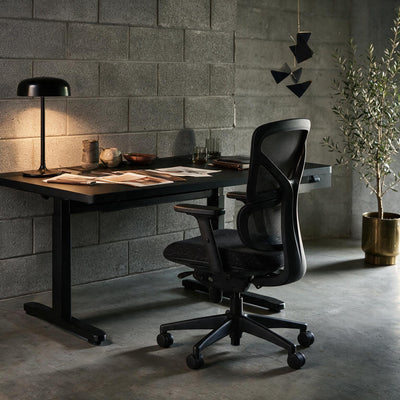
Three chairs in our range are built specifically around this:
Adjustable lumbar support that slides to your spine, a position-lock recline, and a firm high-density foam seat. The honest first upgrade from a dining chair.
Our best-seller, because it ticks every box: adjustable lumbar, an integrated seat slider for correct seat depth, a full synchro recline with auto-tension, and 4D armrests. Ten points of adjustment to tune it to your exact pain-free position.
Its backrest curves into your lumbar region rather than sitting flat, cradling the exact curve that fixes the "C-shape" problem, with 12 points of adjustment.
Browse the full ergonomic range here, or get in touch and talk to a real person about your specific situation.

Frequently asked questions
The clearest signs are: your pain builds the longer you sit and eases when you get up; it improves on days away from your desk; and it changes when you switch to a better chair. Physically, check whether your chair has real adjustable lumbar support, whether your feet sit flat with your back against the support, and whether you're looking down at your screen. If your chair has no lumbar support, doesn't adjust to your body, or your setup forces poor posture, it's very likely contributing. Research links unsupported sitting directly to back pain in the majority of desk-based cases.
Yes. Research published in the journal Ergonomics found that inappropriate sitting in poorly designed chairs, specifically those with no lumbar support and a poorly sized seat, accounts for back pain in 57% of desk-based cases. Without lumbar support, the pelvis tips backward and the spine collapses into a "C" shape, increasing pressure on the intervertebral discs and straining the lower-back muscles. A chair that's the wrong height or depth compounds the problem. For anyone sitting long hours, the chair is one of the most common causes of lower back pain.
Yes. When your monitor is too low, you tilt your head forward and down, and because your head weighs around 5kg, moving it forward even slightly dramatically increases the load on your neck and upper-back muscles, strain that cascades down the spine. OSHA guidance states the head and neck should stay balanced and in line with the torso, and studies show a screen that's too low forces sustained neck flexion that raises musculoskeletal-disorder risk. Correcting monitor height (top of screen at or slightly below eye level, about an arm's length away) can reduce neck and shoulder discomfort by 20-30% within weeks.
This is one of the clearest signs that your workstation, your chair, desk, or monitor setup, is causing your back pain. If your back feels fine on days away from your desk but aches by mid-afternoon on work days, the pattern points strongly to your seated setup rather than an underlying medical cause. The usual culprits are a chair with no lumbar support, an incorrect seat height or depth, a screen positioned too low, or simply sitting still for too long without moving.
Often it's both, and they're connected. A chair without proper support makes good posture almost impossible, because you can't maintain your spine's natural "S" curve without something holding your lower back. That said, posture habits and other factors matter too: sitting still for hours, tight hip and hamstring muscles, and a lack of stretching all contribute. The most reliable approach is to fix the chair and setup first (since a supportive, adjustable chair makes good posture effortless), then add regular movement and stretching. If pain persists after both, see a physiotherapist.
The bottom line
Figuring out whether your chair is causing your back pain isn't a mystery, it's a checklist. Does the pain build as you sit and ease when you move? Does your chair actually support your lower back and adjust to your body? Is your screen at the right height? Are you moving enough? Answer those honestly and the culprit usually reveals itself.
More often than not, it's a chair with no real lumbar support, set up wrong, paired with a screen you're craning down at and too many hours of sitting still. All fixable. Get a chair that cradles your lumbar curve and adjusts to you, raise your screen to eye level, and build in movement, and that reliable 2pm ache tends to quietly disappear.
Your body's been trying to tell you something. Now you know how to listen.


