





Home Office Lighting: How to Light Your Desk Without Eye Strain or Glare
Good home office lighting comes in layers: daylight from the side, soft general light for the room, and a task lamp on your desk that lights your work without bouncing off your screen. Get those three right and most of the tired eyes, squinting and late-afternoon headaches go with them.
The fastest fixes cost nothing. Turn your desk so windows sit to the side of your screen, not in front of or behind it. Match your screen brightness to the room. Then add a task lamp, placed on the side opposite your writing hand.
This guide covers how much light you need, where to put your desk in a South African home, what to look for in a desk lamp for eye strain, and how to light your face for video calls.

What is the best home office lighting?
The best home office lighting mixes three sources you can control: daylight, ambient light and a task light. Herman Miller's research paper on task lighting describes the ideal workplace in exactly these terms, and notes that daylight on its own is not enough because its intensity changes through the day.4 Humanscale makes the same case for dual-source lighting: an overhead light for the room, plus a desk light you can adjust.5
Most home offices have only one of these: a single ceiling light, usually behind you. That throws your shadow across the keyboard and leaves the screen as the brightest thing in the room. Your eyes then work all day adjusting between a bright screen and a dim desk.
Why lighting matters more as you get older
Light needs are personal, and age is the biggest factor. Herman Miller's paper states that people in their twenties have eyesight eight times better than people in their sixties.4 Humanscale puts it in practical terms: someone in their mid-sixties needs three times the light to read a page that a mid-twenties reader manages with very little.5 If two people share a home office, the older one will usually want the brighter task lamp.
What poor lighting does to your eyes
The American Optometric Association (AOA) lists poor lighting and glare on a digital screen among the causes of computer vision syndrome, also called digital eye strain. Its symptoms include eyestrain, headaches, blurred vision, dry eyes, and neck and shoulder pain.3 That last one surprises people. When you can't see clearly, you lean in and crane forward, and your neck pays for it.
How much light do you need at your desk?
Screen work needs less light than you might think; paper work needs more. Colorado State University's ergonomics guidance recommends roughly 200 to 300 lux for computer-based work and 300 to 500 lux for mixed computer and paper work, and says these ranges should not be treated as rigid requirements.2 The Canadian Centre for Occupational Health and Safety (CCOHS) gives a range of 75 to 300 lux for computer tasks.1
| What you're doing | Guideline light level | What it means at home |
|---|---|---|
| Screen work only | About 200 to 300 lux2 | A normal room light is often enough. Too much light washes out the screen. |
| Screen plus paper | About 300 to 500 lux2 | Add a task lamp aimed at your notes, not at the monitor. |
| Detailed reading or drawing | 50 foot-candles (about 500 lux) or more2 | Bring the task lamp closer, or use a brighter one. |
You don't need a light meter to apply this. If your screen looks like a light bulb in a dim room, the room is too dark. If it looks washed out and grey, there is too much light around it.2
Workplace lighting in South Africa is covered by the Physical Agents Regulations, 2024, which took effect on 6 March 2025 and cover illumination along with other physical agents such as heat and indoor air quality. According to Shangoni's summary, the older Environmental Regulations for Workplaces were due to be repealed on 6 September 2026.7 These rules apply to employers' workplaces. For your own spare room, the guideline ranges above are the practical benchmark.
Where to put your desk: windows, glare and the South African sun
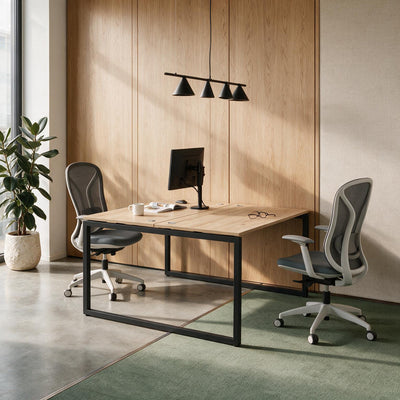
Place your desk so windows are to the side of your screen, at a right angle to it. Colorado State recommends positioning monitors perpendicular to nearby windows, and warns against facing a window directly or having one directly behind the screen.2 CCOHS gives the same advice: keep windows parallel to your line of sight.1
Here's why each wrong position hurts:
- Window behind the screenYour eyes face a bright sky around a darker screen all day. The contrast is tiring, and on sunny afternoons it can be blinding.
- Window behind youDaylight lands straight on the screen and reflects back at you. You fight the reflection by tilting the screen, leaning or squinting.
- Window to the sideDaylight lights your desk without hitting the screen head-on. Blinds handle the hours when the sun swings round.
Think about which way your room faces
In the southern hemisphere, north-facing rooms get the most direct sun through the day, and west-facing rooms take the strong afternoon sun. If your study faces north or west, plan for blinds or sheer curtains you can adjust, not just a desk position that works at 9am. A home office that is perfect on a winter morning can be unworkable on a February afternoon.
How to reduce glare on your computer screen
Glare is what happens when a bright light source or a reflection interferes with what you're trying to see.1 CCOHS lists practical fixes that work at home as well as in an office:1
- Use several smaller light sources rather than one intense one.
- Choose adjustable local lighting, such as a task lamp, rather than turning up the main light.
- Pick matte surfaces and avoid glossy finishes where light can bounce.
- Keep the workstation away from direct overhead or frontal light.
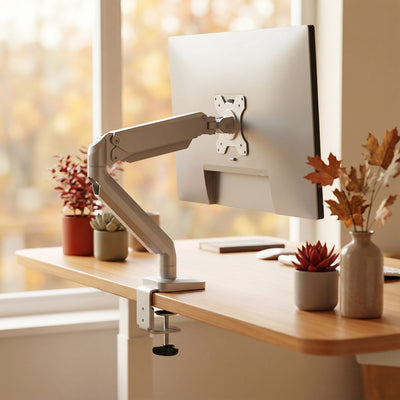
Screen height plays a part too. The AOA recommends the centre of the screen sit 15 to 20 degrees below eye level, about 50 to 70 cm from your eyes, and positioned to avoid glare from overhead lights or windows.3 A solid oak monitor stand or a single monitor arm makes it easy to change height and tilt until the reflections disappear. Our full ergonomic home office setup guide covers monitor height and distance in more detail.

Choosing a desk lamp for eye strain
A good desk lamp lights your work surface evenly, without shining in your eyes or on your screen. Colorado State's guidance is specific: a task light should illuminate paperwork without shining directly into the eyes, should not create reflections on the monitor, should not cast distracting shadows, and should sit on the side opposite your writing hand where practical.2 If you write with your right hand, the lamp goes on the left.
Task lighting basics: brightness, colour and accuracy
Four things on a lamp's spec sheet are worth reading:
- Lumens (brightness)How much light the lamp puts out. More lumens is not always better at a screen desk, where too much light around the monitor causes its own glare.
- Colour temperature (kelvin)Lower numbers, around 2700K to 3000K, look warm and yellow. Around 4000K looks neutral white. 5000K and above looks cool and blue-white.
- Colour rendering index (CRI)How faithfully the light shows real colours, on a scale up to 100. Higher CRI makes paper, skin and printed colours look natural.
- Light spreadA single point of light makes hard shadows. A wider or ring-shaped head spreads light more evenly across the desk.
Colour temperature for a home office
For daytime work, neutral white around 4000K is a sensible middle ground: crisp enough to read by without the clinical blue of daylight bulbs. In the evening, warmer light is kinder. Harvard Health reports that blue light suppresses melatonin more powerfully than other colours, and advises avoiding bright screens for two to three hours before bed and getting plenty of bright light during the day.6 So: bright, neutral light while you work, then warmer, dimmer light once you're done.

The LED Desk Lamp
The task lamp Workspace Dreams stocks for home office desks. A ring-shaped head gives 400 lumens of 4000K neutral white light, spread around a circle rather than from one point, with a colour rendering index above 90.
It stands 410 mm tall, so it lights over a laptop screen without taking over the desk, and runs on USB, drawing 10 W from any 5V 2A port or charger. That also means it can run from a power bank that supplies 5V 2A.
To be fair to the alternatives: if you do a lot of detailed drawing or reading from paper, a lamp with an adjustable arm you can bring close to the page may suit you better. The LED Desk Lamp is built for the more common home office job: lighting a desk, a keyboard and your face on camera.
Fix the light, then fix the screen height. Both are small upgrades that change how your eyes feel by 4pm.
See the LED Desk Lamp Monitor and laptop standsLighting for video calls
For video calls, the main light should be in front of you and slightly above, never behind you. A window behind your chair turns you into a silhouette, because the camera exposes for the bright background. Overhead light alone puts shadows under your eyes.
- Sit facing the window, or with it to one side, during daytime calls.
- Put your task lamp near your screen so it lights your face evenly from the front.
- Raise your laptop so the camera is at eye level. A R350 aluminium laptop stand does the job and lets you use a separate keyboard.
- Keep the background behind you lit, so you don't look like you're calling from a cave.
A light with high colour accuracy helps here too, because skin tones look closer to real life. That is where the LED Desk Lamp's CRI above 90 earns its place.

Screen brightness, breaks and the 20-20-20 rule
Your screen is a light source too, so set its brightness to match the room. Colorado State recommends monitor brightness be reasonably balanced with the surrounding environment.2 Most people leave screens at full brightness in a dim room, which is the eye strain recipe in one setting.
Lighting can't fix everything. Your eyes still need rest from close focus. The AOA's 20-20-20 rule: every 20 minutes, take a 20-second break to look at something 20 feet (about 6 metres) away. It also recommends resting your eyes for 15 minutes after two hours of continuous computer use, and remembering to blink.3
Movement helps your eyes and your back at the same time. A height-adjustable sit-stand desk gives you a natural reason to change position, look away and reset. The Sit-Stand Desk Pro Plus starts at R14,299 and adjusts from 580 mm to 1,230 mm, and you can read why alternating beats standing all day in our earlier guide.
Your home office lighting checklist
Run through this in the room you work in, at the time of day you work most:
- Windows to the side. Turn the desk so no window sits directly in front of or behind your screen.
- Control the sun. Add blinds or sheer curtains, especially in north- and west-facing rooms.
- Two layers of artificial light. A general room light plus a task lamp, not one or the other.
- Lamp on the correct side. Opposite your writing hand, aimed at the desk, not at the screen or your eyes.
- Screen height and tilt. Centre of the screen 15 to 20 degrees below eye level, tilted to lose reflections.
- Balanced brightness. The screen should not look like a lamp in a dark room.
- Camera-ready. Light in front of you for calls, background lit, camera at eye level.
- Warmer in the evening. Dim and warm the light when work ends.
If you're planning the room from scratch, our guide to L-shaped versus straight desk layouts shows how desk shape changes where the window and lamp can go, and our dream home office walkthrough covers the rest of the space.
Frequently asked questions
What is the best lighting for a home office?
The best home office lighting combines daylight from the side, general room light and an adjustable task lamp on the desk. Using several sources means you can light your work without making the screen the brightest thing in the room. Position windows to the side of your monitor and place the task lamp opposite your writing hand.
How much light do I need for computer work at home?
Colorado State University's ergonomics guidance suggests about 200 to 300 lux for screen-only work and 300 to 500 lux when you mix screen and paper work. CCOHS gives 75 to 300 lux for computer tasks. These are guidelines, not hard rules, and older eyes generally need more light.
What colour temperature is best for a home office?
Neutral white light around 4000K suits most daytime desk work: it is clear to read by without looking harsh. Warmer light, around 2700K to 3000K, is better in the evening. Harvard Health advises avoiding bright screens for two to three hours before bed because blue light suppresses melatonin.
Where should a desk lamp be placed?
Place a desk lamp on the side opposite your writing hand, so your hand doesn't throw a shadow over your work. Aim it at the desk surface, not at your eyes or the monitor, to avoid glare and reflections. For video calls, a lamp near the screen also lights your face from the front.
Should my desk face a window?
No. Ergonomics guidance from Colorado State University and CCOHS recommends placing your monitor at a right angle to windows. Facing a window puts bright sky behind your screen, and having a window behind you reflects daylight onto the screen. Side-on, with adjustable blinds, works best.
Can lighting cause headaches when working from home?
Yes, it can contribute. The American Optometric Association lists poor lighting and screen glare among the causes of digital eye strain, with symptoms including headaches, eyestrain and blurred vision. If headaches continue after fixing your lighting and taking regular breaks, see an optometrist, as an uncorrected vision problem may be involved.
Workspace Dreams, a South African ergonomic furniture dealer, helps home workers build setups that suit their bodies and their rooms. Not sure where to start? Tell us about your space.
Home office furniture Talk to usSources
- Lighting Ergonomics: Survey and Solutions, Canadian Centre for Occupational Health and Safety. ccohs.ca
- Lighting Ergonomics, Colorado State University Risk Management and Insurance. rmi.colostate.edu
- Computer Vision Syndrome (Digital Eye Strain), American Optometric Association. aoa.org
- The Case for Task Lighting, Herman Miller Research. hermanmiller.com
- Ergonomic Lighting for the Modern Workplace, Humanscale. humanscale.com
- Blue light has a dark side, Harvard Health Publishing. health.harvard.edu
- Occupational Health and Safety Act 85 of 1993: Physical Agents Regulations, 2024, Shangoni. shangoni.co.za


